
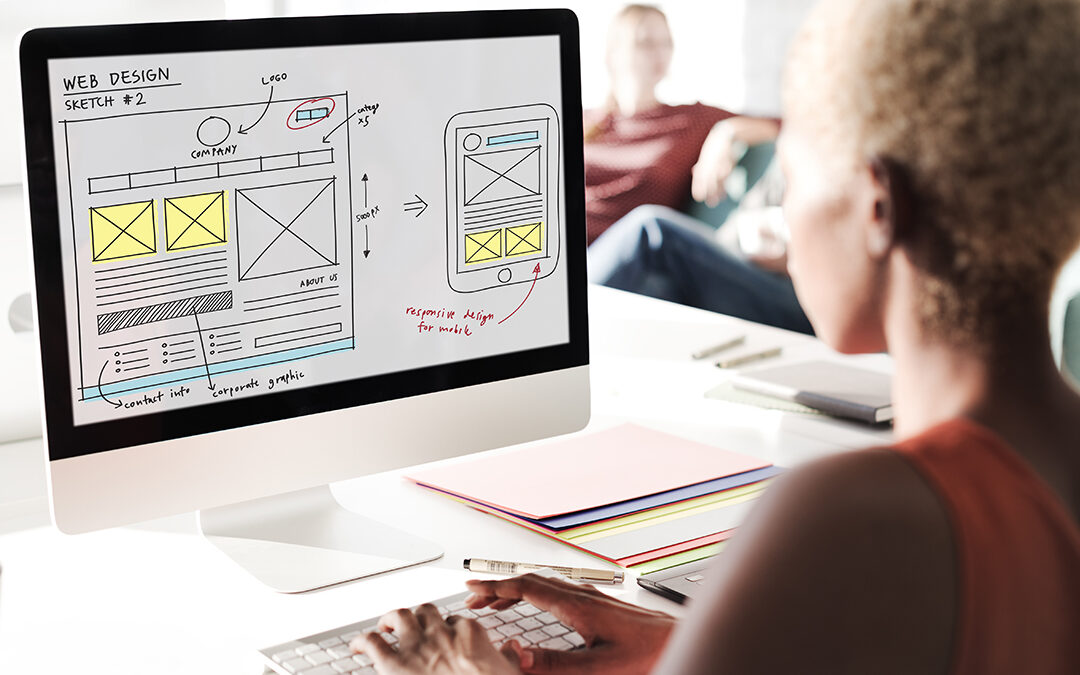
What is User Experience and How Does it Impact Web Design?
User experience (UX) refers to the overall experience that a user has while interacting with a website or application. It encompasses all aspects of the user’s interaction, including the design, usability, accessibility, and functionality of the website or application.
UX design is the process of creating user-centered designs that prioritize the needs, goals, and behaviors of the users. UX design principles include understanding user needs, creating a consistent and intuitive interface, providing clear and concise messaging, and designing for accessibility and usability.
The impact of user experience on web design is significant, as a well-designed website can increase user engagement, improve customer satisfaction, and ultimately lead to increased conversions and revenue. A poorly designed website, on the other hand, can lead to frustration and confusion for users, resulting in a negative experience and potentially lost business.
In today’s competitive online landscape, prioritizing user experience is crucial for the success of any website or application. By designing with UX principles in mind, web designers can create a positive user experience that promotes engagement, satisfaction, and ultimately, business success.
5 Powerful UX Principles You Should Know To Create an Engaging Website
Know your users: To create an engaging website, it’s crucial to understand who your users are, what they want, and how they behave. Conduct user research to identify user needs and preferences, and use this information to inform your design decisions.
Keep it simple: A clean and simple design can make it easier for users to navigate your website and find the information they need. Avoid cluttered layouts, confusing navigation, and too many options or distractions.
Prioritize accessibility: A website that is accessible to all users, regardless of their abilities or disabilities, is essential for creating an inclusive user experience. Consider factors such as color contrast, font size, and keyboard navigation when designing your website.
Use visual hierarchy: Visual hierarchy refers to the arrangement of elements on a page to guide users’ attention and highlight important information. Use size, color, and placement to create a clear visual hierarchy that directs users’ attention to the most important content on your website.
Test and iterate: Even the best-designed websites can be improved with user testing and feedback. Conduct usability tests to identify areas for improvement, and use this feedback to make iterative design changes that improve the user experience over time.
7 Crucial UX Strategies That Will Drive Traffic & Increase Conversion Rates
Responsive Design: A responsive website design ensures that your website looks great and functions properly on any device, including desktops, tablets, and smartphones. This improves the user experience, reduces bounce rates, and increases the likelihood of conversions.
Simple Navigation: A clear and easy-to-use navigation menu helps users find what they are looking for quickly and easily. This helps to keep users engaged and reduces the chances of them leaving your website due to frustration.
Fast Load Times: Users expect websites to load quickly, and if they don’t, they are likely to leave and never return. Ensure that your website loads quickly by optimizing images, reducing code bloat, and using a fast web hosting provider.
Strong Calls to Action: Calls to action (CTAs) are crucial for converting visitors into customers. Ensure that your CTAs are clear, prominent, and visually appealing to encourage users to take action.
Personalization: Personalization is becoming increasingly important for user experience. By using data about your users, you can personalize content and recommendations to create a more engaging and relevant experience.
A/B Testing: A/B testing involves testing different versions of a webpage to determine which one performs better in terms of engagement and conversion rates. Use A/B testing to fine-tune your website and optimize it for maximum impact.
User Feedback: User feedback is an important source of information for improving the user experience of your website. Use surveys, polls, and feedback forms to gather insights and make data-driven improvements to your website over time.

User-Centric Design & Why It Matters for Your Website’s Success
User-centric design is an approach to web design that places the needs and preferences of users at the center of the design process. It involves understanding the goals and behaviors of users and designing a website that meets their needs and expectations. Here are some of the key principles of user-centric design:
Empathize with your users: To create a user-centered design, you need to empathize with your users and understand their needs, goals, and motivations. Conduct user research, surveys, and interviews to gather insights and create user personas that represent your target audience.
Focus on usability: A user-centric design should prioritize usability above all else. This means designing a website that is easy to navigate, with clear and concise content, and intuitive user interface elements.
Design for accessibility: A user-centered design should also take into account the accessibility needs of all users, including those with disabilities. This means designing a website that is easy to use with assistive technologies and meets WCAG guidelines.
Iterate and test: A user-centered design is an iterative process that involves testing and refining designs based on user feedback. Use A/B testing and usability testing to identify areas for improvement and make data-driven design decisions.
Focus on the user journey: A user-centered design should consider the user journey from start to finish. This means designing a website that guides users through the process of finding the information they need and taking the desired action, whether that’s making a purchase or filling out a form.
The Benefits of Leveraging AI & Automation for UX Design
Artificial intelligence (AI) and automation are transforming the field of UX design, offering new opportunities to create more efficient, effective, and user-friendly websites. Here are some of the key benefits of leveraging AI and automation for UX design:
Improved User Experience: AI-powered tools can analyze user behavior and provide personalized experiences that cater to individual preferences and needs. This helps to create a more engaging and satisfying user experience.
Faster Development: Automation tools can help to speed up the web development process by automating repetitive tasks and streamlining workflows. This allows designers to focus on more creative and strategic aspects of the design process.
Increased Efficiency: AI and automation tools can help to optimize web design by providing insights into user behavior, testing design variations, and identifying areas for improvement. This can help to improve efficiency and reduce errors in the design process.
Cost Savings: By automating certain aspects of web design, businesses can save time and money on development costs. This can help to increase profitability and competitiveness in the market.
Scalability: AI-powered tools can help businesses to scale their web design efforts by automating certain tasks and processes. This can help to handle increasing traffic and user demand without sacrificing the quality of the user experience.